

The majority of my career has been focused on making data systems more efficient - on a variety of dimensions: performance, scalability, and cost. Through these experiences, I’ve developed a multitude of mental frameworks that, until today, I’ve kept mostly in my head.
The goal of this series has always been to democratize knowledge about how to Efficiently operationalize data, and this involves understanding how to approach data optimization problems in an effective and meaningful way.
This point will focus on what I call the “Top Down” portion of one of the biggest players in industry.

Snowflake has rapidly become one of the top tools for data processing in the ecosystem. It is powerful, easy to use, SQL based, seems to scale up/down easily, and most importantly, mostly just works.
This won’t be an architecture post, as the Select.dev team has done an incredible job of that here. I’d strongly recommend reading that post before this one.
Rather, the goal of this post is to the clear and concrete drivers of cost in Snowflake. Then give you a few strategies that you can use to ensure that you’re getting your optimal ROI from your Snowflake investment.
TLDR
“Vinoo, just tell me what to do. Don’t tell me why.”
Okay, here’s what I think you should do right now.
Disclaimer: These steps are very opinionated and work well on a majority of workloads. However, it is up to you to make sure that they work in your unique setup.
File a ticket on Snowflake to get access to GET_QUERY_STATS:
Minimize your warehouse AUTO_SUSPEND time:
ALTER WAREHOUSE<warehouseName>SETAUTO_SUSPEND = 60;
For all multi-cluster Warehouses:
ALTER WAREHOUSE<warehouseName>SETMIN_CLUSTER_COUNT = 1;ALTER WAREHOUSE<warehouseName>setSCALING_POLICY = ECONOMY;
Modify STATEMENT_TIMEOUT_IN_SECONDS to be a value lower than the default of 2 days.
ALTER WAREHOUSE <warehouseName> set STATEMENT_TIMEOUT_IN_SECONDS=36000
Now, let me tell you why.
Snowflake + Driving

If you’ve spoken to me about this space in the past, you’ve likely heard me the Snowflake ecosystem as a busy city.
You as a query author would like to get from Point A to Point B in the most gas-efficient way possible, but you do have a few limitations:
Your car’s overall gas-efficiency
Hummers tend to be less cost effective than say a Hyundai Elantra
Your skill as a driver
Slamming the brakes at stop lights or hitting the gas as soon as the light turns green eats up a lot of gas
How busy the roads are
Sitting in traffic eats up gas
The route you take
Taking a non-optimal route results in burning more gas than necessary
In Snowflake land, you have roughly the same set of challenges. Your ability to write a query to retrieve results in an optimal way have to do with:
Your choice of warehouse for the query you’re running
Big warehouses are like Hummers, they consume a lot of gas and may not be the optimal choice unless you need them.
Your skill as a query author
There are folks that know every bit of the optimal SQL query authorship model in and out.
How saturated your Warehouse is
If there are a number of other queries running on your warehouse, it can slow down your query’s time to results
How you construct your set of queries to yield results
This has to do with how “easy” your data is to query - schema, layout, partitioning, etc… and how well your query takes advantage of them.
Top down vs. Bottom Up
It is clear that there are two areas to optimize looking at the world this way.
The “Environment”
The “Driver”
Meaning, there are things that we can do to optimize the usage of the car as well as the environment the car is driving in, without affecting the driver in any way.
I’m going to call optimizing the Environment the “Top Down” approach, since it involves us looking at the top elements (the core infrastructure) of the system. I’m going to call optimizing the Driver the “Bottom Up” approach, given that it involves the operations of the system.
Picking the ideal car for the job can be complicated, so let’s try and focus on optimizing our current car for now.
Specifically:
Let’s ensure we have the data we need to debug.
Let’s ensure the car is on for a minimal amount of time, when it is not needed.
Let’s ensure that our engine cylinder count is optimal.
Let’s ensure that trips that are unduly long are stopped at some point.
Insight #1: Get Data
Solving problems requires data. While most of this post is about the Top Down portion, equally important is setting ourselves up for the subsequent bottom up portion.
There are two functions in particular you will want access to.
GET_QUERY_STATS - https://docs.snowflake.com/en/LIMITEDACCESS/get_query_stats.html
GET_QUERY_OPERATOR_STATS
Insight: File a Snowflake Ticket to get access to GET_QUERY_STATS. GET_QUERY_OPERATOR_STATS is a preview feature enabled on all accounts
Insight #2: Turn Your Car Off
A Warehouse is a logical grouping of cloud servers. That’s really it. What makes warehouses complicated though, is that they are the driver of Snowflake cost.
Think about a warehouse like a car. When the car is on, regardless of whether it is doing anything, you’re burning gas. As such, it’s a good idea to turn your car on, only when you need to drive somewhere.
However, there is one important detail. People generally don’t forget to turn their car off, but they do forget to turn their warehouses off.
Luckily, Snowflake has built an autosuspend time into the warehouses.
The autosuspend time is the time before your idle warehouse automatically suspends.
Insight: Your car (warehouse) should only be on when you need it. Minimize the time that it is on and doing nothing.
At any given moment, a warehouse is in one of the following states:
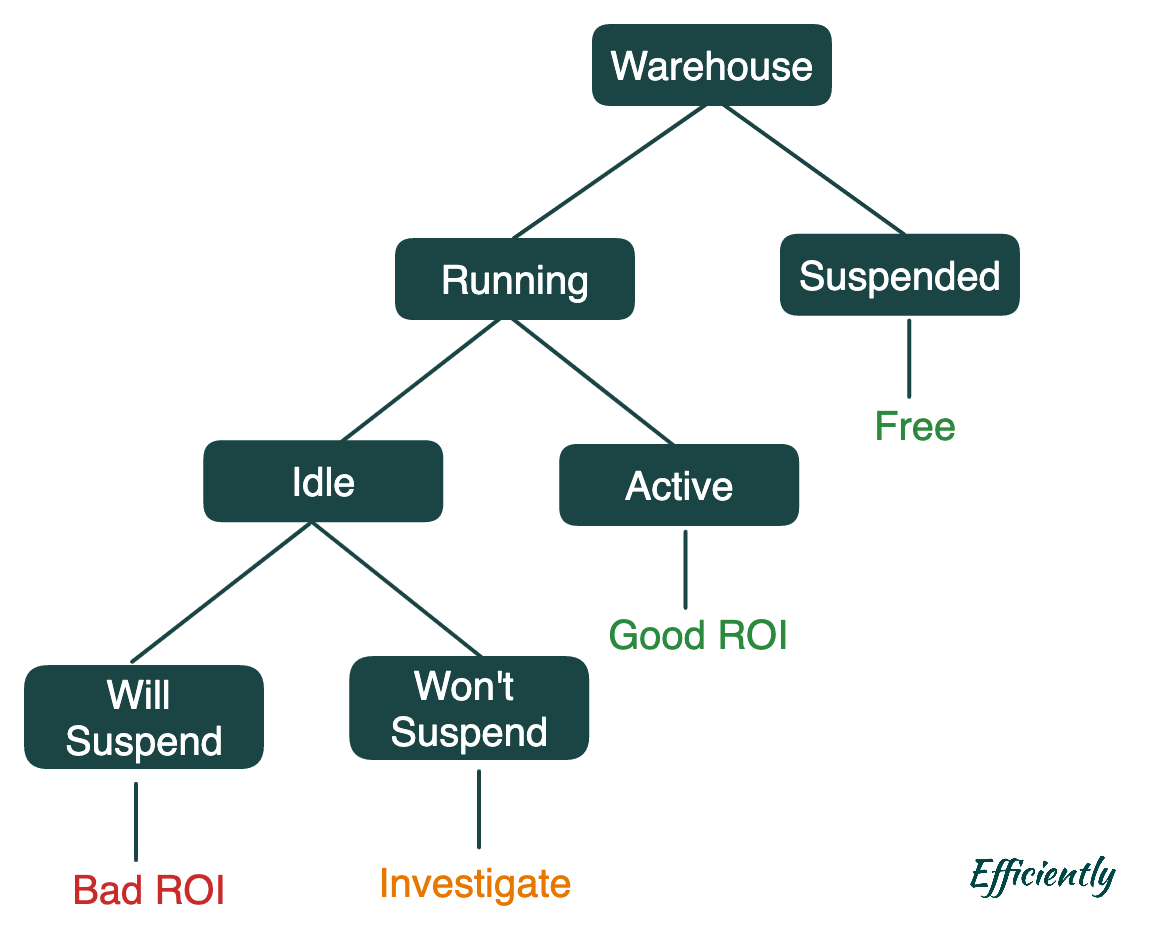
Let’s break this down:
Suspended - The warehouse is off. And, of course, not charging you anything
Running - The warehouse is on and you’re being charged.
Idle - The warehouse is on, and no queries are running. You’re still being charged.
Will Suspend - You have no queries running and you are within your AUTO_SUSPEND time. This is normally a bad state that we want to get rid of.
Won’t Suspend - You are within your AUTO_SUSPEND time but a query will come in before the auto suspend time is hit (because of orchestration or something else). Removing this state generally involves some investigative work or changes to query orchestration schedule.
Active - The warehouse is on, and queries are running. This is good.
What does this look like in practice?
Let’s say you have a consumption history that looks like this.

Let’s break this down a bit. Here’s what really happening.
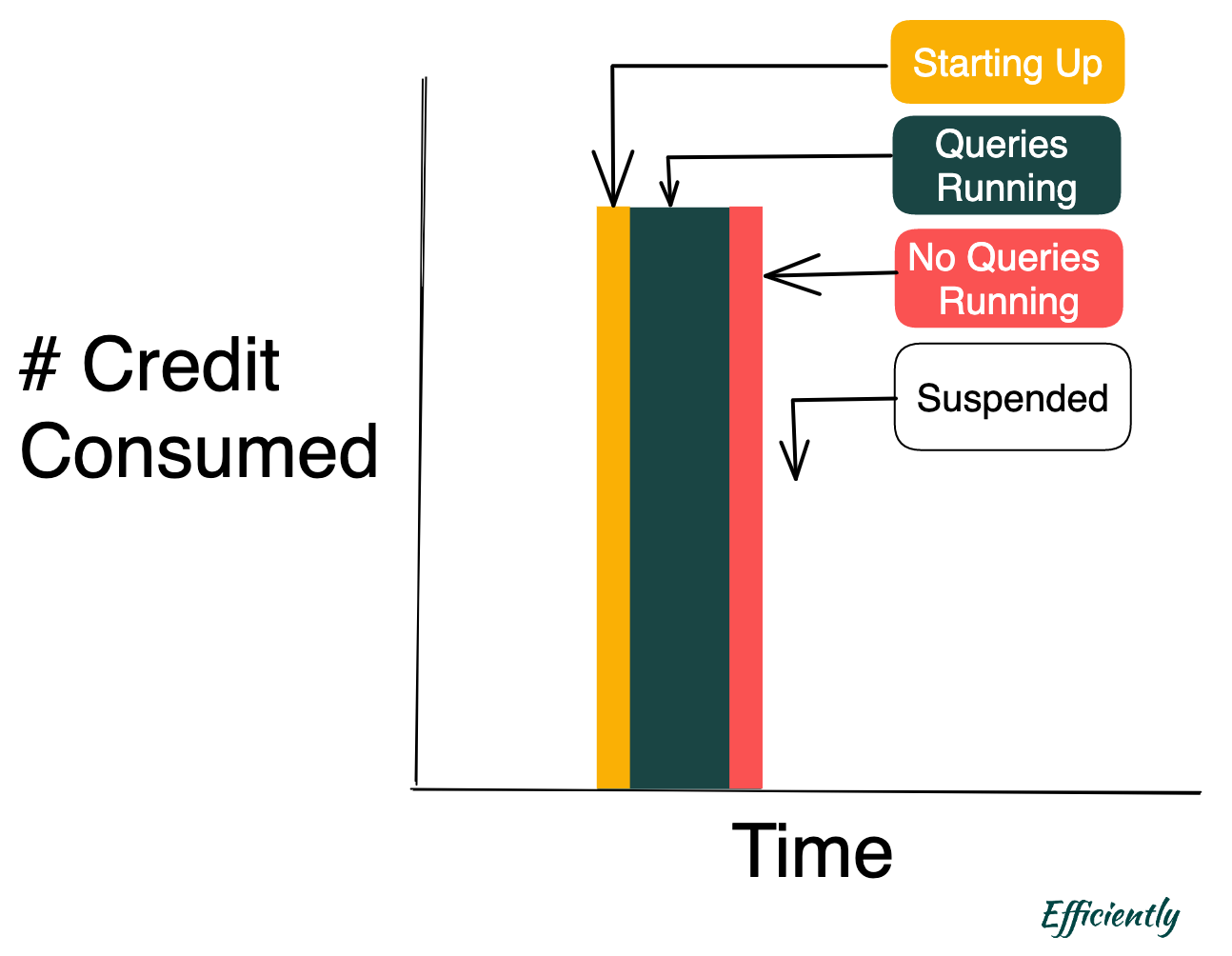
This is the simplest case and matches the above. Let’s pick a slightly more complicated case.

In this situation, there is a period of time (the pink “No Queries Running”) when the warehouse is up/active, but with no queries running. In this period of time, the warehouse is, however, unable to suspend because the this time is less than the warehouse autosuspend time.
To optimize your Snowflake efficiency, your goal is to minimize the Red “No Queries Running”, while looking for ways to also minimize the Pink “No Queries Running.”
The minimum auto-suspend that Snowflake supports is 30 seconds. However, Snowflake will charge you the full minute. For that reason, it’s best to keep auto_suspend at 60 seconds.
ALTER WAREHOUSE <warehouseName> SET AUTO_SUSPEND = 60;
Insight #3: Car Engines + Cylinders
Car engines come in a variety of options: 2 cylinders, 4 cylinders, 6 cylinders, and 8+ cylinders for some trucks.
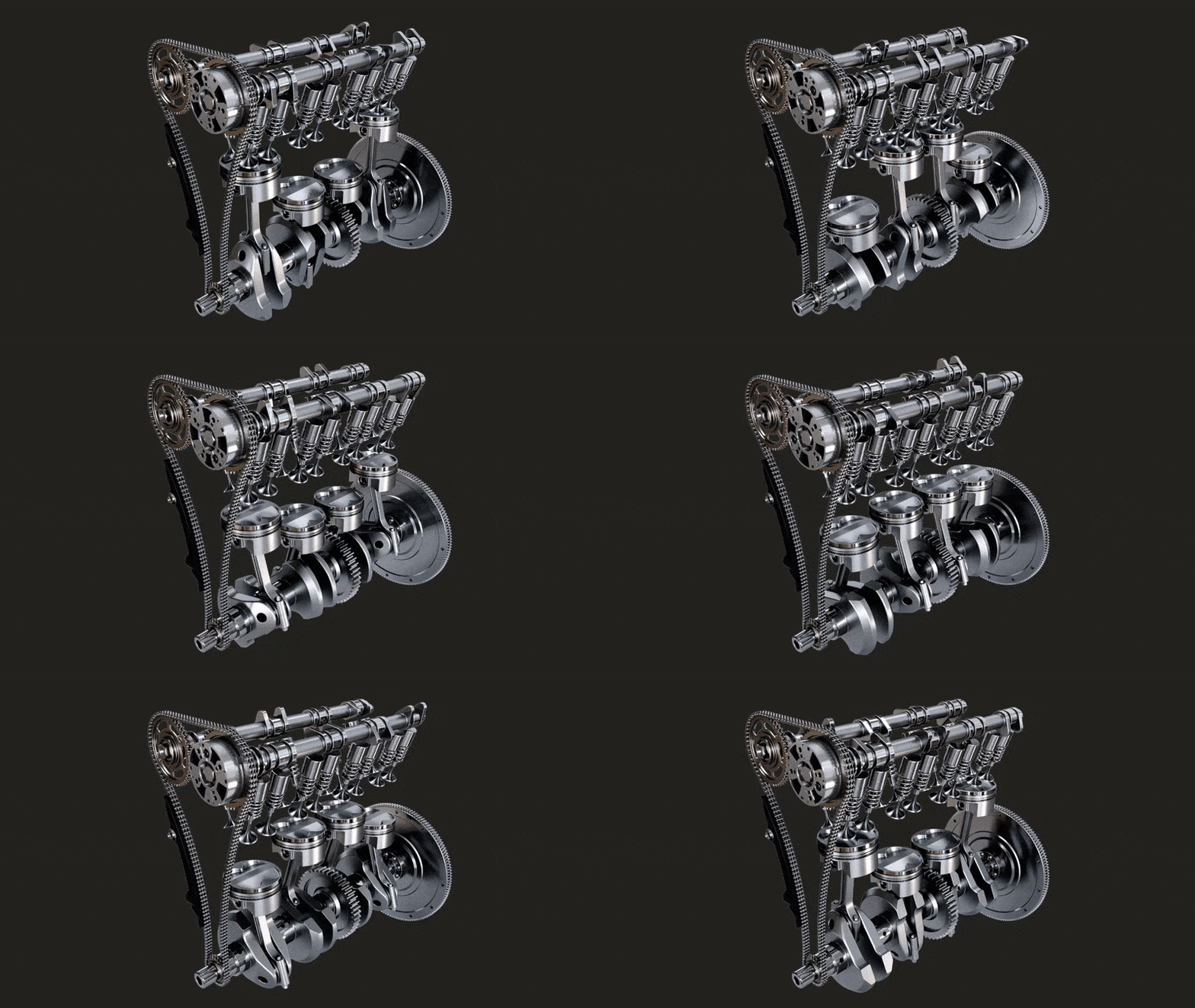
The more cylinders you have, the more power the car has, and the more gas that is consumed. A V6 (6 cylinder) car will have more power than a V4 (3 cylinder) car, but the latter will generally have better fuel economy.
Snowflake has a somewhat similar concept - called clusters. Clusters though, are effectively full copies of your warehouse. In fact, Snowflake bills at # Warehouse * # Clusters. In Snowflake land, the most clusters you have the most you can do at a time under one warehouse.
Now, Snowflake offers one pretty powerful feature, the ability to scale up the number of clusters in a warehouse. Initiatively, you can think of this as only adding an additional cylinder when you need it.
In the Efficiently case, we want to maximize our cost efficiency, meaning we only want resources when we need them and want to scale only when necessary.
First, let’s make sure we always start with only one cluster. No point in starting with more resources than we need.
ALTER WAREHOUSE <warehouseName> SET MIN_CLUSTER_COUNT = 1;
Next, let’s make sure to only scale up when we really need to. You can read more about scaling policies here.
ALTER WAREHOUSE <warehouseName> set SCALING_POLICY = ECONOMY;
Insight #4: Restrict Trip Distance
Our last top down insight focuses on the “something is clearly wrong” case. The Federal Motor Carrier Safety Administration has a clear rule about drivers who are driving too long.
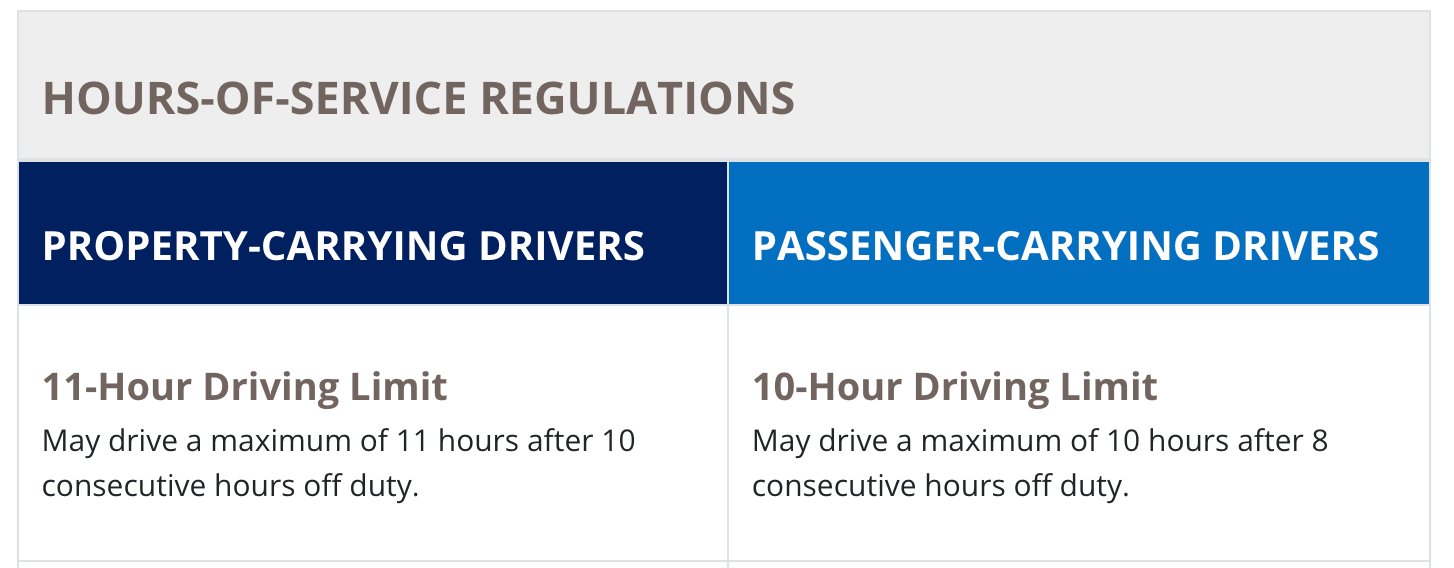
Thinking about driving for 10 hours straight without a break is a fairly large ordeal for many drivers, so why let our queries operate this way?
Luckily, Snowflake has a session called STATEMENT_TIMEOUT_IN_SECONDS. This specifies the maximum time that a query is allowed to run before it dies. Meaning, the longest amount of time our driver is allowed to drive.
Strangely though, Snowflake’s default value for this parameter is 172,800 seconds… which is 2 days. These poor drivers!
Let’s give them (and your wallet) a break.
This value can be configured on a per-warehouse basis.
I prefer something more reasonable - let’s just use the same 10 hour (36,000 seconds) driving limit that passenger-carrying vehicles are permitted.
ALTER WAREHOUSE <warehouseName> set STATEMENT_TIMEOUT_IN_SECONDS=36000
Conclusion
There is a prevalent idea floating around that Snowflake is expensive. That can be true, but as is the case in most of these systems, it really comes down to how effectively and Efficiently you use Snowflake.
Thoughts, ideas, hate my car analogy? Leave a comment and let me know.